
Video culling software
Cull large video collections with thumbnails and keyboard controls.
Video culling is the first review pass: see what each clip contains, decide what matters, and remove the footage you do not need. VideoCull is built for that job on local Windows folders.
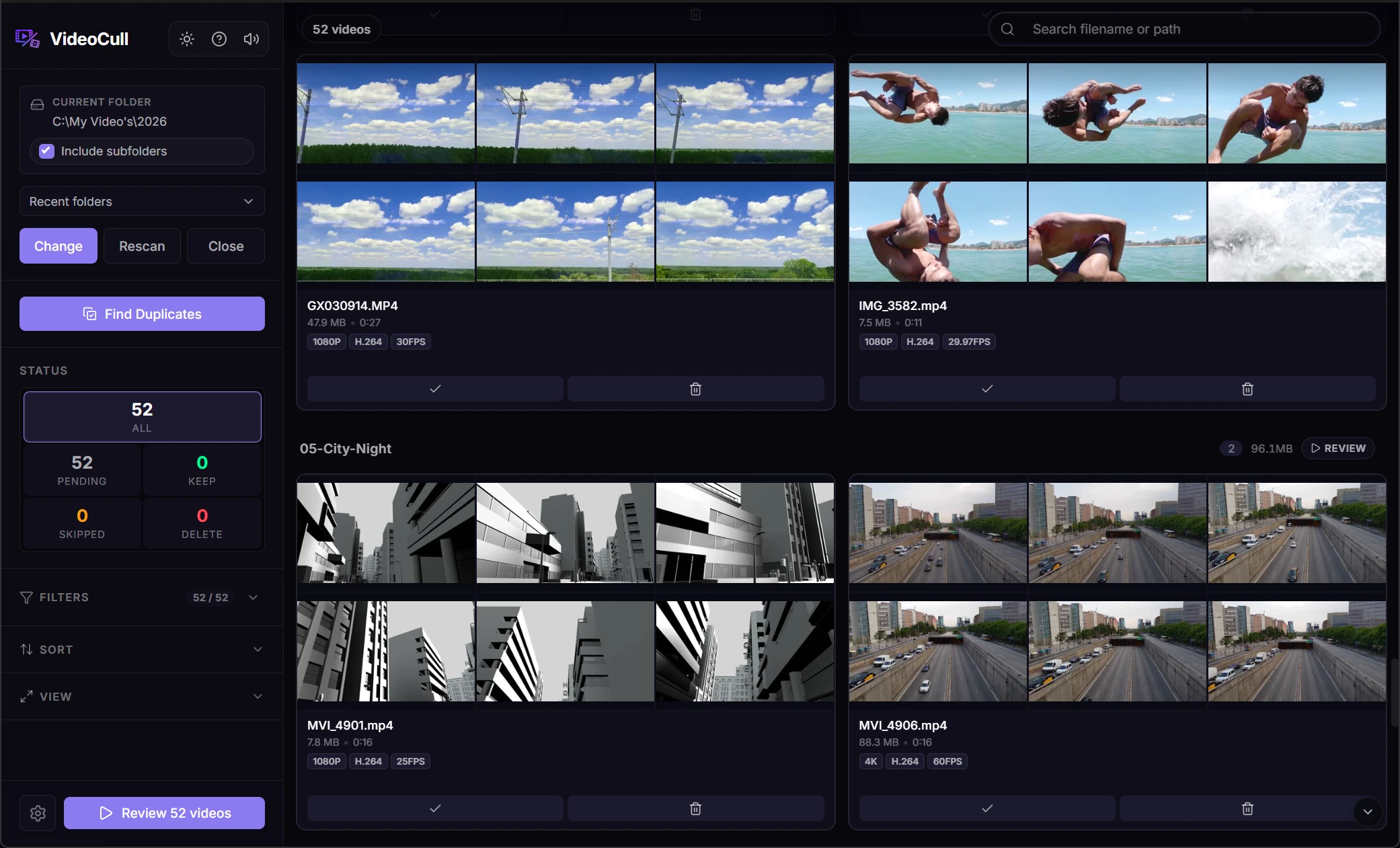
- Sample several frames from every video
- Keep, Delete, Skip, and Undo from the keyboard
- Filter and sort before opening individual clips
- Free, open source, and local on Windows
What video culling means
Video culling is useful far beyond an editing project.
Culling is the review pass that decides what is worth keeping. It applies to a personal archive or download folder just as much as a camera card or editing project.
Personal archives and old backups
Work through collections that have grown for years, even when filenames and folder structure no longer tell the full story.
Download and media folders
Sort saved videos, exported libraries, screen recordings, and other mixed files without opening them one by one.
Camera and project footage
Review phone, dashcam, drone, action-camera, or creator footage with the same visual first pass.
Why sampled frames help
A filename or opening frame rarely tells the whole story.
Generic file browsers and media managers usually show one poster frame. VideoCull samples several moments across each file, so scene changes, empty sections, and repeated material become visible before playback.
When the thumbnail strip is not enough, open the clip in Review mode and keep the same filtered queue and decision controls.
- 01
See every video as a thumbnail strip
Scan many videos at once instead of opening, watching, and closing files in separate windows.
- 02
Reduce the queue
Search, sort, group, and filter by metadata, status, rating, favorites, compatibility, and duplicate results.
- 03
Use playback only when needed
Scrub uncertain clips, then return to the next item without rebuilding your place in the folder.
- 04
Confirm the final cleanup
Review the complete Delete set before files are sent to the Windows Recycle Bin when possible.
Other workflows
More ways to work through a video collection.
- Review large video folders Work through a big folder from the grid, then open only the clips that need playback.
- Find duplicate videos Group exact copies and visually similar files, compare them, and choose which one to keep.
- Sort camera footage Review dashcam, drone, action-camera, and phone clips by what happened in them.
VideoCull for Windows
Start with the folder you keep avoiding.
No account, no upload, and no separate FFmpeg installation.