
Large folder review
Turn a large video folder into a review queue you can finish.
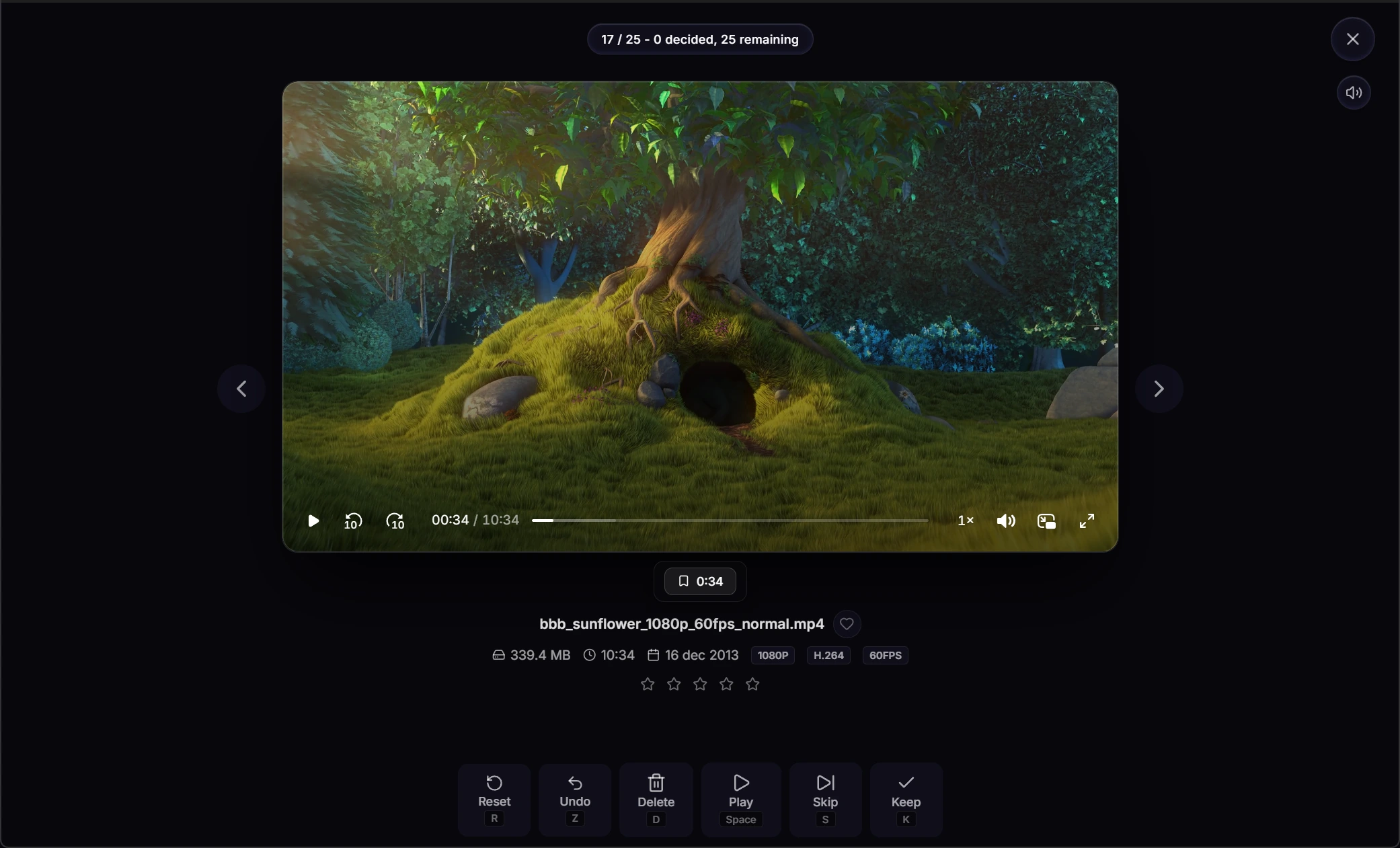
VideoCull samples several frames from every file, so the first pass happens in a visual grid. Open Review mode only when a clip needs playback or closer inspection.
- Browse while remaining thumbnails are generated
- Keep, Delete, Skip, and Undo from the keyboard
- Play, scrub, rate, favorite, and bookmark
- Local cache restores progress after a rescan
Use the right level of detail
Start broad, then open only the uncertain clips.
Most large-folder work is faster when playback is the second step, not the first.
- 01
Load the session
Open one folder, include its subfolders, or combine several related folders into the same review job.
- 02
Reduce the grid
Search, sort, group, and filter by status, rating, favorite, compatibility, duplicate state, size, or duration.
- 03
Make the obvious calls
Mark individual cards or select a range for a shared Keep, Delete, Skip, Reset, or thumbnail action.
- 04
Review what remains
Enter the focused queue, play or scrub the file, and move to the next video without losing the original scope.
Stop and continue later
A rescan does not mean starting over.
The local cache keeps the work attached to the files. Completed thumbnail sets are reused unless you deliberately regenerate them.
Decisions
Pending, Keep, Delete, and Skipped statuses return when the folder is loaded again.
Review context
Ratings, favorites, bookmarks, metadata, duplicate fingerprints, and thumbnail paths are also stored locally.
Configurable storage
Choose a central cache, one cache per drive, or a distributed cache next to the source files.
Other workflows
More ways to work through a video collection.
- Find duplicate videos Group exact copies and visually similar files, compare them, and choose which one to keep.
- Cull video collections What video culling means and how a first review pass works on local folders.
- Sort camera footage Review dashcam, drone, action-camera, and phone clips by what happened in them.
VideoCull for Windows
Start with the folder you keep avoiding.
No account, no upload, and no separate FFmpeg installation.