
Camera footage
Sort camera footage by what happened, not by the filename.
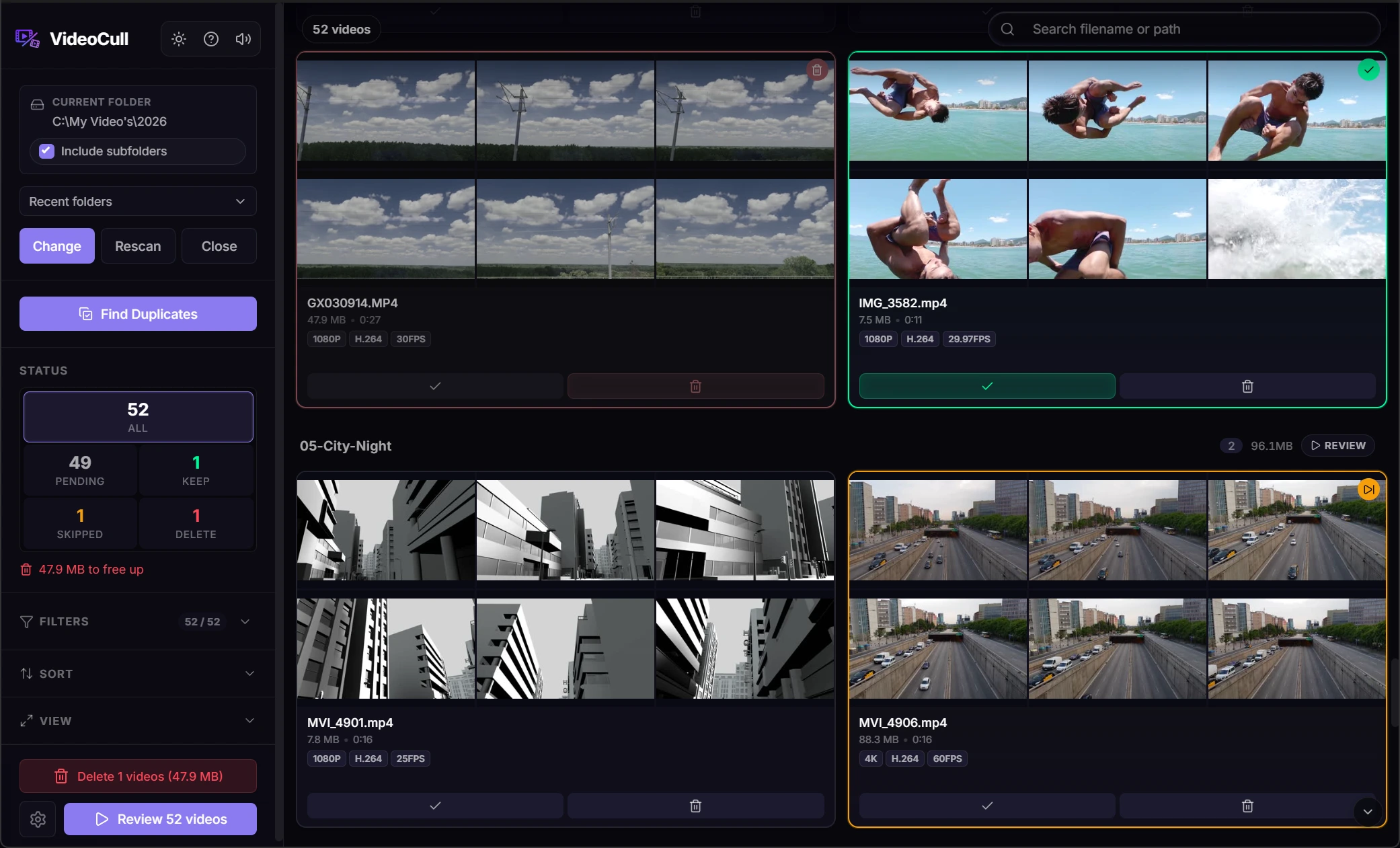
Sequential camera names rarely tell you which clips matter. Multi-frame thumbnail strips expose motion, scene changes, empty takes, and repeated captures before playback starts.
- Useful for dashcam, drone, action-camera, and phone folders
- Group files by their source folder
- Filter by date, size, duration, rating, or status
- Inspect many common formats through bundled FFmpeg tools
A practical first pass
Find the useful moments before watching the complete dump.
The thumbnail strip is designed to answer one question quickly: what kind of clip is this?
- 01
Keep the folder structure
Load related folders into one session and group the grid by subfolder when each camera or recording day should stay visible.
- 02
Use metadata to remove noise
Sort short clips, large files, particular dates, high frame rates, or low-resolution captures into a useful order.
- 03
Rate the good material
Use ratings, favorites, and bookmarks when the goal is selection rather than cleanup alone.
- 04
Export a record
Create an HTML report for the whole session or the filtered result when someone else needs to see the decisions.
Mixed archives
A file can still be reviewed when it cannot play inside the app.
Thumbnail and metadata extraction use the bundled FFmpeg and FFprobe tools. In-app playback still depends on the codecs supported by Chromium.
Unsupported playback files can open in the default system player while their decisions remain in VideoCull.
Web-playable media
Common MP4, WebM, MOV, MKV, M4V, and OGV files can play in-app when their codecs are supported.
Legacy and camera formats
AVI, WMV, ASF, FLV, TS, MTS, and MPEG files can still be scanned, thumbnailed, filtered, rated, and marked.
Adjustable sampling
Choose 1, 2, 4, 6, or 9 thumbnail frames and move the first sample past a black intro when needed.
Other workflows
More ways to work through a video collection.
- Review large video folders Work through a big folder from the grid, then open only the clips that need playback.
- Find duplicate videos Group exact copies and visually similar files, compare them, and choose which one to keep.
- Cull video collections What video culling means and how a first review pass works on local folders.
VideoCull for Windows
Start with the folder you keep avoiding.
No account, no upload, and no separate FFmpeg installation.